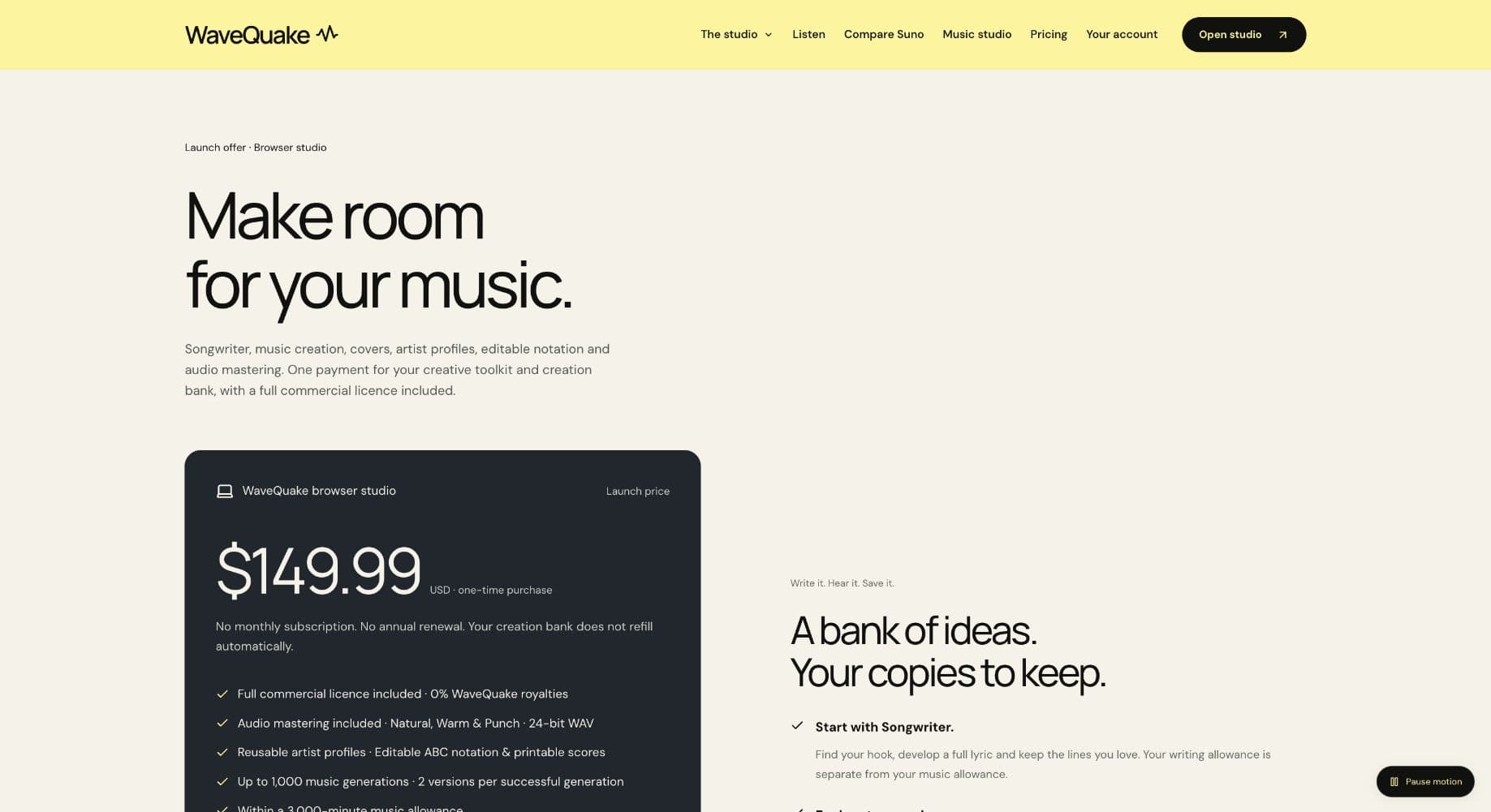
WaveQuake is a compelling Suno v6 alternative for artists who want to create vocal songs for a direct release. Its $149.99 one-time studio connects lyric development, two-version generation and mastering, with commercial permission within its stated licence. The appeal is a clear creative process and a defined initial purchase before you take the finished recordings into your own sales workflow.
Key takeaways
- WaveQuake advertises a $149.99 one-time browser studio with writing, vocal music generation and mastering, including applicable taxes.
- The purchase provides up to 1,000 generations within 3,000 minutes, plus 2,000 Songwriter requests. It is a finite creation bank.
- The included commercial permission concerns rights WaveQuake can grant. It does not guarantee exclusivity, audience demand or revenue.
- Direct selling is a separate activity. The current WaveQuake product creates and exports recordings; it does not run your music shop or collect sales for you.
For an artist who wants to sell music directly, a creation tool is useful when it helps produce work someone has a reason to buy. WaveQuake's one-time browser offer is appealing because it combines lyric development, vocal song creation and finishing in a defined purchase. That can simplify the creative budget, but the value of the eventual release still depends on the music, presentation and relationship with its audience.
We reviewed the current product documentation from that perspective. The strongest case is a deliberate project: develop a small selection of songs, choose the best performances and take organized files into a separate sales workflow. The weakest case is assuming the maximum generation allowance translates into a catalogue of automatic sellers.
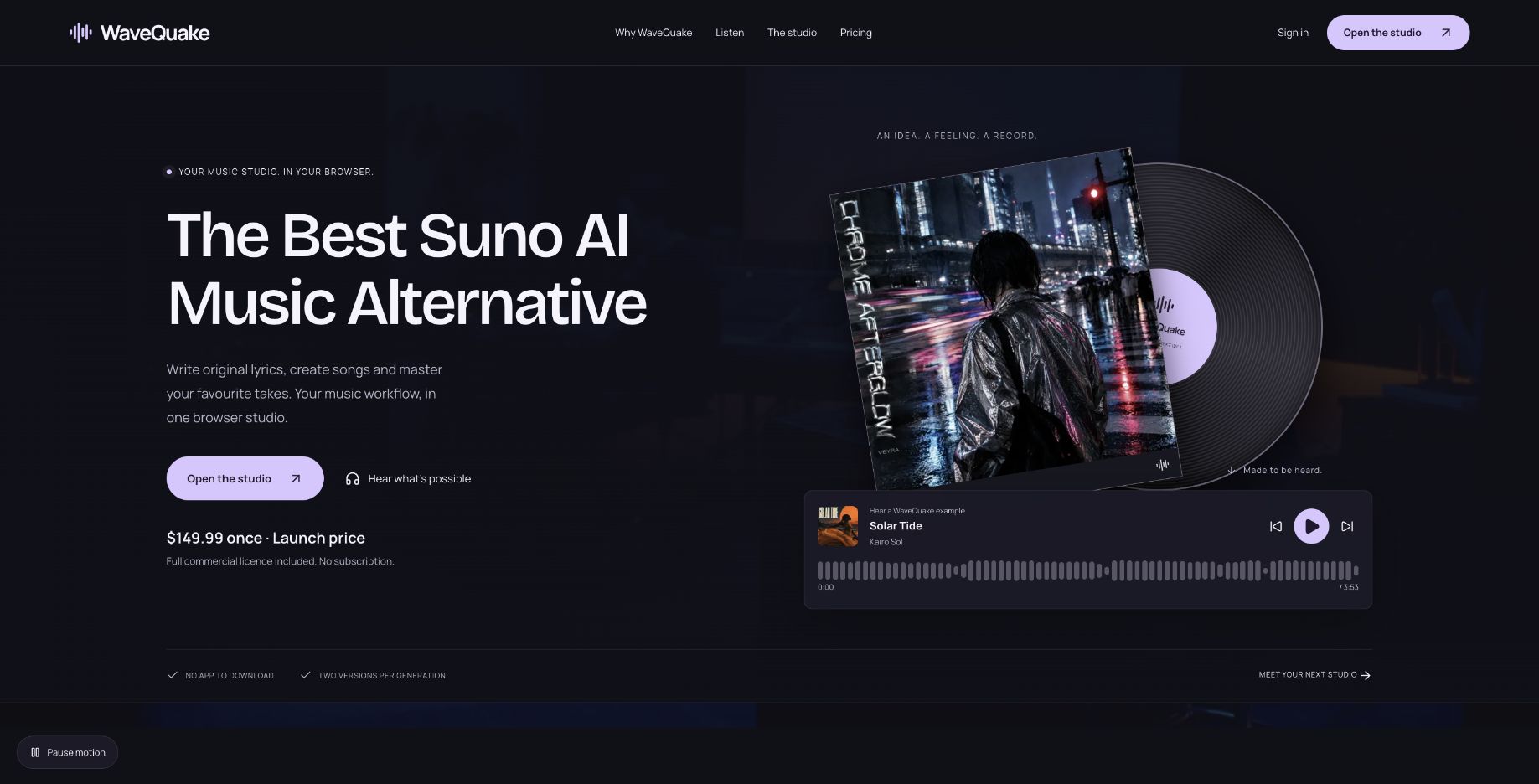 The published creation offer. No sales, revenue or customer-success claim is established by this screenshot.
Start with the reason someone would want the music
A direct release needs a clear identity. That might be a collection around a particular story, an artist's recurring sound or music created for a specific audience. The important point is that the buyer should understand the work as more than a set of generated files.
WaveQuake's Songwriter focuses on stories, hooks and revision, while its artist profiles retain descriptive vocal direction. Those features can support a more intentional project because they give the creator something consistent to develop and evaluate.
The software does not decide which songs deserve release. Listen to the whole recording, edit the words before generating where possible and reject work that does not fit the collection. A smaller, coherent release can be easier to explain than a large folder with no obvious connection between tracks.
This is an editorial recommendation about using the tool, not a measured claim about conversion or sales. No earnings outcome should be inferred from the availability of a generator or from the fact that commercial permission is included.
A finite purchase can make project budgeting clearer
The WaveQuake pricing page lists a one-time $149.99 price with applicable taxes included. There is no automatic subscription renewal, and the creation bank does not refill automatically.
| Advertised component | Published amount |
|---|---|
| Music generations | Up to 1,000 |
| Music-minute allowance | 3,000 |
| Versions per successful generation | 2 |
| Songwriter requests | 2,000 |
| Working storage | 10 GB |
| Audio retention | 30 days |
That structure can suit creators who work through a defined project and prefer to know the initial software outlay. It is not automatically the cheapest option for everyone. Usage, required features and the number of attempts needed to select a recording all affect the practical value.
Both music ceilings apply, and the longer of the two versions counts toward the minute bank, rounded up to a whole second. Longer results can therefore use the minute allowance before the generation ceiling is reached. A creative rejection can also be a successfully completed request.
For a release budget, include the whole process rather than assigning the entire purchase to one imaginary sale. Presentation, editing, delivery and your own time may matter too. This review provides no break-even promise or forecast that the product will pay for itself.
Use Songwriter to strengthen the material
The documented writing flow asks for a story, genre, language and concrete details. Optional controls allow an exact line to be retained or an existing lyric to be developed. The feature is most useful when those controls help you express a specific idea rather than fill space with generic verses.
For a collection, identify what connects the songs before asking for drafts. A recurring place, relationship or emotional question can give the work a clear centre. Different songs can approach that centre differently without sounding like variations of the same prompt.
The help page describes reviewing and editing lyrics before sending them to Create. Writing and audio generation are separate requests. That makes the writing stage a sensible place to resolve obvious weaknesses before spending music allowance.
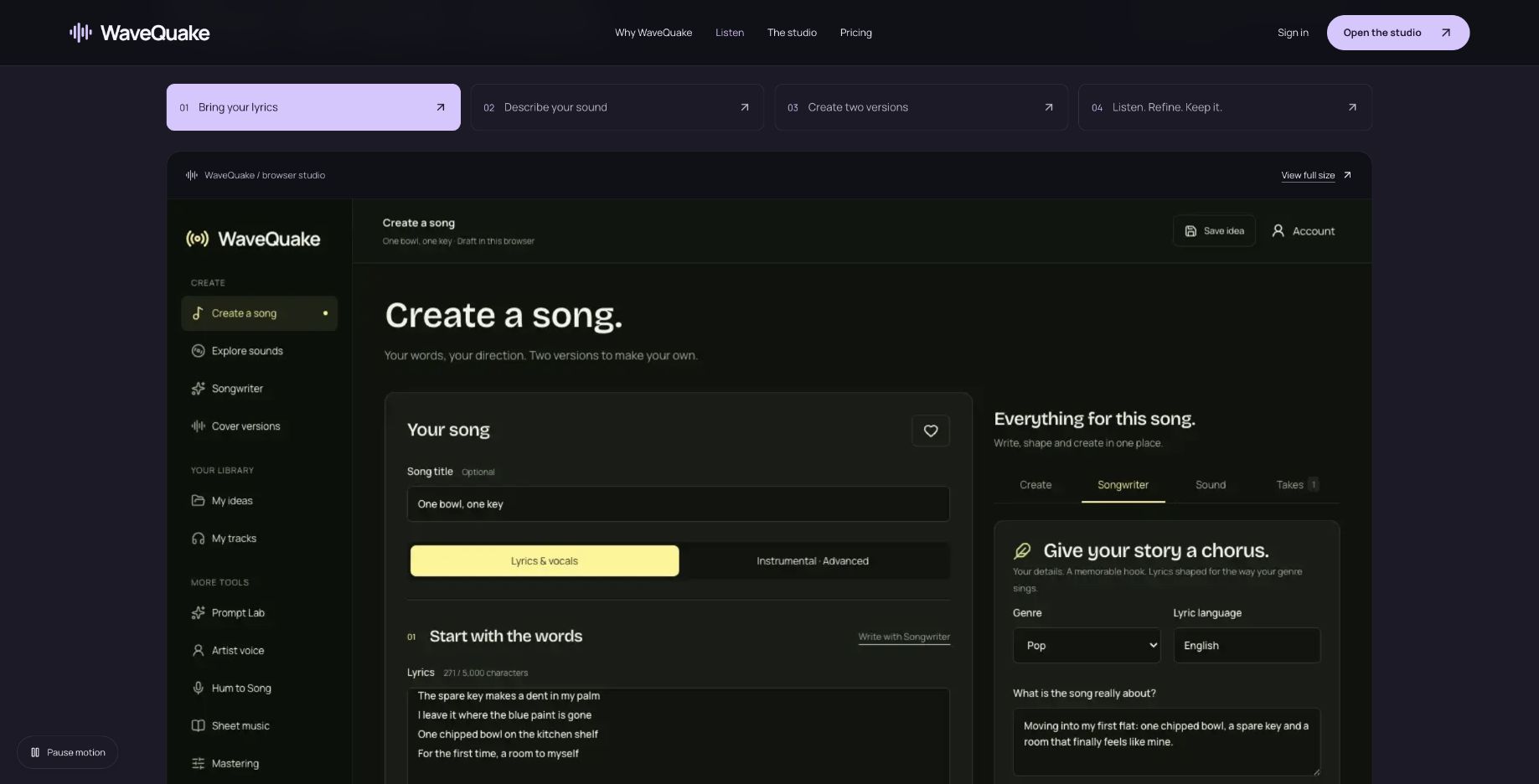 A vendor-provided screen with sample lyrics illustrates the workflow. It is not a song or sale produced for this review.
Read the draft aloud and check whether it says something you want associated with the artist. Keep the lines that carry the idea and revise the rest. A tool can supply possibilities, but editorial selection is what gives the release a point of view.
Two versions should lead to a decision
WaveQuake documents two recordings per successful generation. For a direct release, the value is not simply having twice as many tracks. It is having alternatives you can evaluate before choosing what belongs in the product.
Listen for the qualities a buyer will encounter: the clarity of the hook, the development of the arrangement, the ending and the overall performance. A strong first impression is useful, but it should survive a full playthrough.
| Decision | Useful record to keep |
|---|---|
| Which take is selected? | Filename and a short reason |
| Which lyric version belongs to it? | Final editable text |
| What artist direction was used? | Saved description in project notes |
| Was it mastered? | Original and separate master, clearly named |
| Was supplied material involved? | Source and permission information |
| What will a buyer receive? | Exact delivery files, checked locally |
The table is a suggested project record, not a set of measured WaveQuake outcomes. Its purpose is to prevent a common practical problem: discovering at release time that the best recording, the final lyric and the exported master are not clearly associated with each other.
Artist profiles can help preserve written direction between songs, but the vendor does not promise an identical singer. Evaluate the collection by listening rather than assuming the saved profile guarantees continuity.
Mastering should preserve your choices
The mastering feature advertises Natural, Warm and Punch treatments, preservation of the original and a separate 24-bit, 48 kHz WAV. It also describes loudness measurement and a true-peak check.
That can be a convenient final comparison after you have chosen the take. Keep the source and the master, listen at a similar level and decide which version best represents the song. A finishing step should make the release decision clearer rather than automatically replace the recording you preferred.
The vendor says mastering does not repair every performance or generation artifact. If the lyric is unclear or a section is musically weak, return to that problem first. No amount of confidence in a preset turns a rejected performance into a guaranteed saleable product.
For a multi-song release, compare the collection in sequence. The question is whether the files feel appropriate together and whether the selected delivery versions are the ones you intend buyers to hear. This review has not tested a paid mastering session or measured buyer preferences.
Commercial permission is useful within its scope
WaveQuake's commercial-use page describes permission to edit, publish, sell and license lawfully obtained outputs within the rights it can grant. It states that WaveQuake takes no music royalty share and that the permission survives account closure, subject to the stated terms.
That is relevant to direct selling, but it is not a blanket answer to every rights question. The same page says third-party material needs appropriate permissions and does not guarantee exclusivity, copyright protection or platform acceptance.
If a release includes uploaded recordings, borrowed lyrics or other supplied material, keep the relevant records and review the intended use. Payment for generation alone does not establish that every element is yours to sell in every context.
The commercial permission also says nothing about demand. A licence can permit a sale without producing a customer. Keep the creation decision, the rights decision and the audience decision separate so that each one is made on relevant evidence.
Export before you build the sales page
WaveQuake's current documentation identifies the product as a browser studio. Older release and shop workspaces are described as demonstrations, not functioning routes that publish or sell a recording. The actual sales destination needs to be evaluated separately.
Before creating a product listing, download the exact files you intend to supply and confirm that they open outside the studio. Keep a clearly named master, useful alternate versions and the project notes. A song-brief export does not contain the audio or a saved artist profile, according to the help page.
The plan's 30-day audio retention makes this especially important. A release may be delayed while artwork, presentation or other decisions are finished. Your delivery file should not depend on the generation workspace retaining it indefinitely.
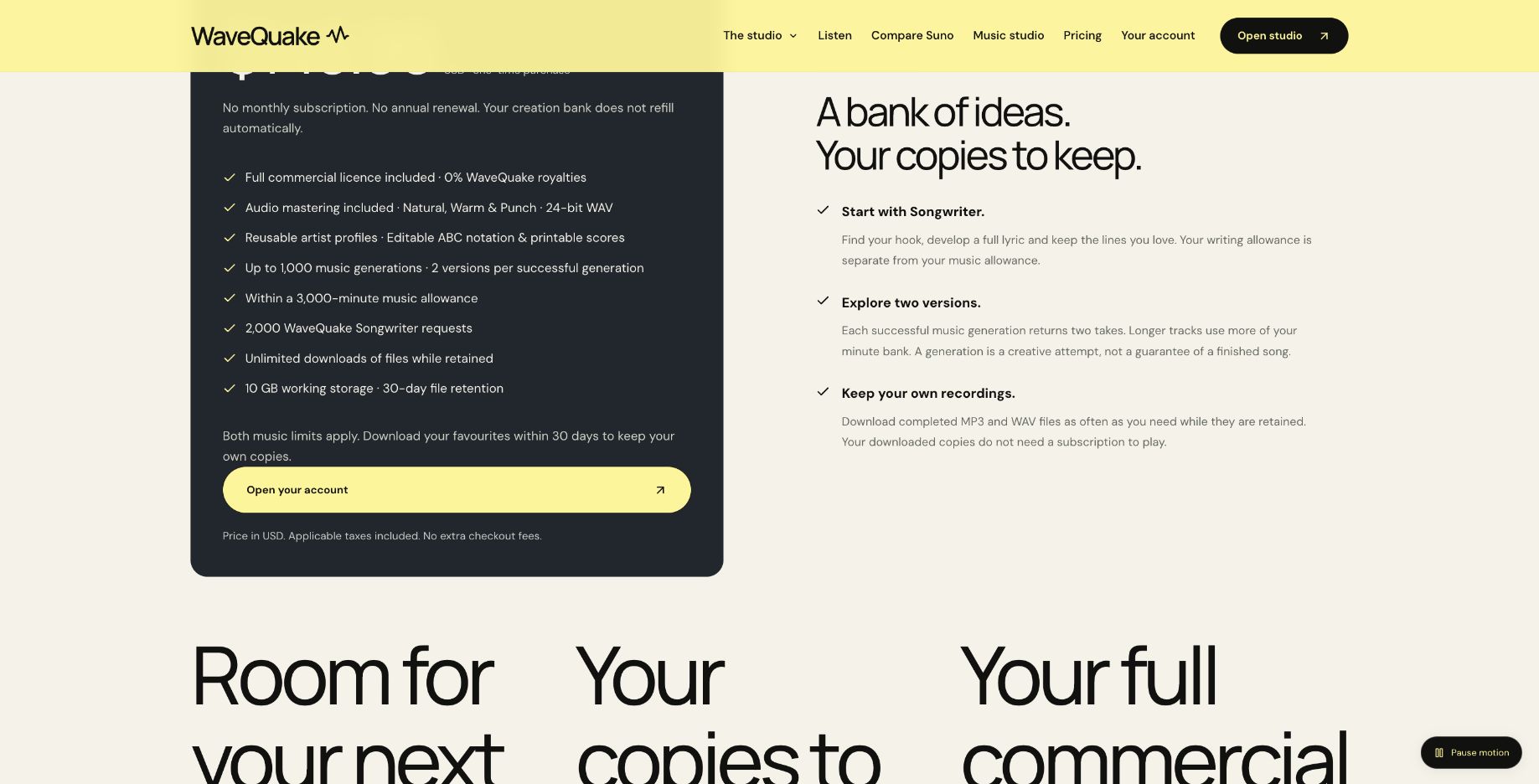 The service provides working storage. Your release archive and sales-delivery files should be kept separately.
A clear handoff from creation to selling also improves the buyer's experience. You can describe exactly what the release contains and avoid confusing an experimental draft with the selected final recording. That benefit comes from your organization, not an automatic sales feature in the generator.
Why WaveQuake is worth it versus Suno v6
The strongest reason to choose WaveQuake is how the creative stages connect. Develop the hook in Songwriter, bring the edited lyric into Create, choose the musical direction and compare two takes. Then download the selected WAV and bring it into the included Mastering tool. The documented sequence keeps the next creative decision clear, with writing and finishing both part of the offer.
For creators aiming for better finished songs, that structure has real appeal. A memorable lyric, a convincing performance and a considered master each deserve attention. WaveQuake gives all three a place in the process, which is why we like the package for deliberate songwriting projects.
The value comparison is equally specific. Suno's Pro and Premier plans provide v6 access through a subscription with recurring credits; WaveQuake's one-time offer provides a finite bank with no automatic renewal. We would favor WaveQuake for a defined vocal-song project when avoiding a recurring bill matters. Compare the features and allowance you actually need before choosing.
Our verdict for artists selling directly
For artists preparing a deliberate vocal release, we recommend WaveQuake when a connected creation workflow and one upfront payment fit the project. Writing, take selection and mastering all contribute to a recording you can then take into your own storefront. That makes WaveQuake worth considering over another Suno v6 subscription for creators who prefer to budget by project.
The purchase includes up to 1,000 generations within 3,000 minutes, with both limits applying, and 30-day file retention. Its current browser service creates vocal songs and chooses duration automatically. Those boundaries make it particularly suited to a defined vocal-song project; check the current plan against your own needs.
Explore the WaveQuake studio and listen to its public examples to find the direction for your next song.
Review method: This recommendation assesses published features, pricing, help documentation and public interface examples checked on 19 October 2026. It is not based on a controlled audio-quality comparison with Suno v6.
Related reading
- Selling music on Played
- Ways to make money with music
- Distributors and AI music
- Suno download limits
Frequently asked questions
Can I sell music created with WaveQuake?
The vendor describes commercial permission within the rights it can grant. Third-party material and the intended use still require appropriate consideration. Read the current commercial-use page and terms for the release you plan.
Does WaveQuake take a share of music royalties?
Its commercial-use page states that it takes no music royalty share. That statement concerns WaveQuake, not every other service involved in selling or distributing a recording. Review the separate terms of the route you choose.
Does the purchase include a functioning music shop?
The current documented product is the browser studio. The help page says earlier release and shop workspaces are demonstrations and do not publish or sell recordings. Take downloaded files into a separately evaluated sales workflow.
How many finished songs will I get?
The bank specifies generations and minutes, not a guaranteed number of finished releases. Each successful generation returns two versions, and creative selection may reject either or both. Budget for that selection process.
Will the songs have an identical singer?
Artist profiles reuse descriptive vocal direction rather than clone a voice. The vendor does not guarantee the same singer across results. Evaluate continuity by listening before grouping songs under one artist presentation.
Will the purchase pay for itself?
This review has not measured sales or calculated a reliable earnings forecast. A one-time creation price is only one part of a release's economics. Revenue depends on the work, audience, offer and sales activity, none of which is guaranteed by generation access.